Understanding Asset Partitioning in Apache Airflow 3.2
Asset partitioning in Apache Airflow 3.2 introduces a new level of granularity to data-aware scheduling, allowing Dags to trigger based on specific data partitions. This feature optimizes resource usage and reduces operational noise by ensuring only relevant downstream tasks are executed.
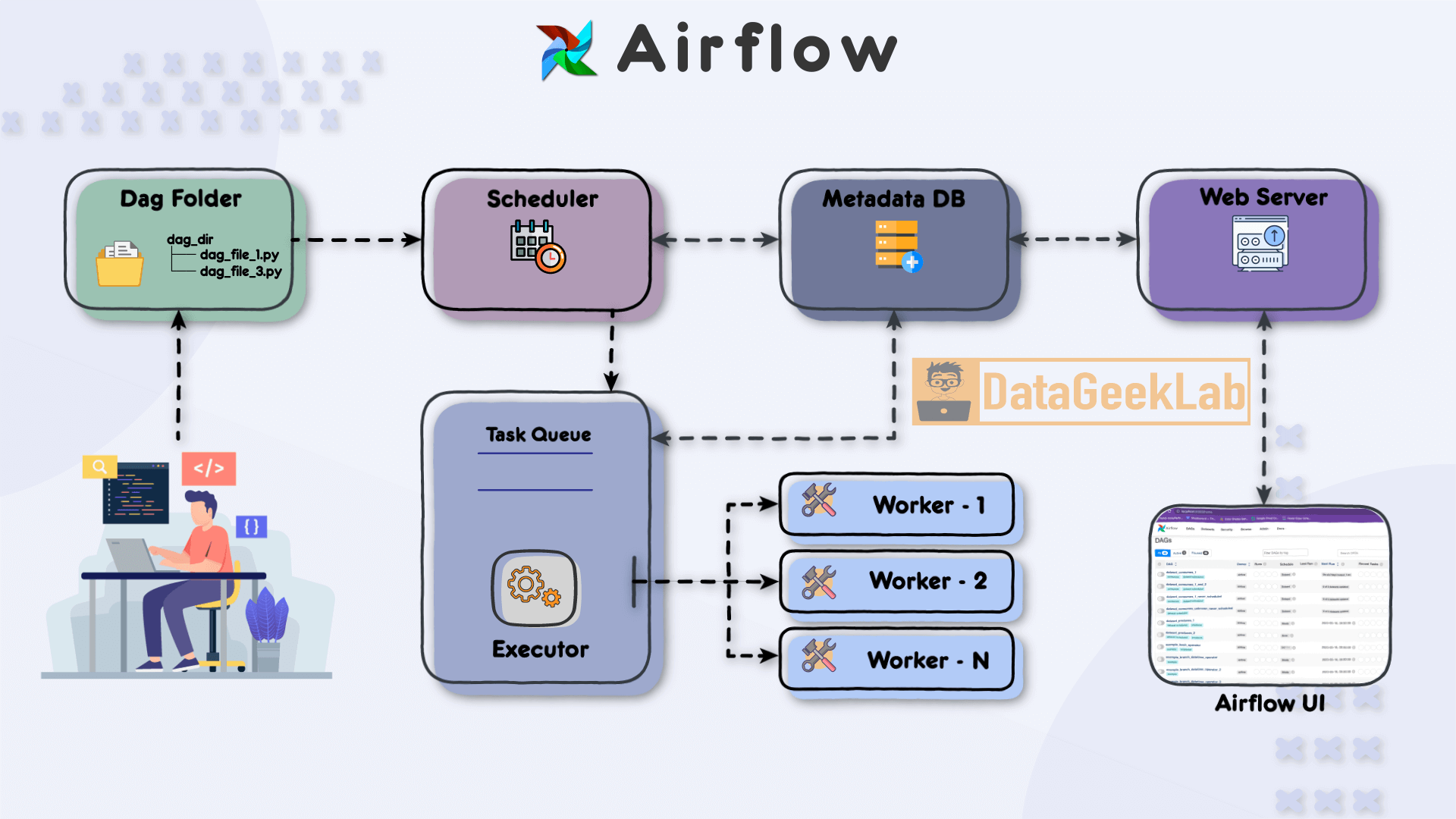
Introduction to Asset Partitioning in Airflow 3.2
Apache Airflow 3.2 introduces asset partitioning, a significant enhancement for data-aware scheduling. This feature allows Dags to trigger based on updates to specific data partitions, rather than firing indiscriminately whenever any part of the data changes. This capability is particularly beneficial for large-scale deployments where operational efficiency and resource management are critical concerns. By focusing on the precise partitions that have changed, Airflow reduces unnecessary task executions, thereby optimizing resource utilization and minimizing operational noise[2][4].
Asset partitioning is a natural evolution from the asset-based scheduling introduced in earlier versions of Airflow. Previously, assets were treated as monolithic entities, and any update to an asset could trigger downstream Dags, regardless of which part of the asset was actually modified. This often led to inefficiencies, especially in environments where data is partitioned by time or other dimensions[3][4].
The Concept of Asset Partitioning
Asset partitioning in Airflow allows you to define and respond to changes in specific slices of your data. An asset in Airflow is essentially a logical grouping of data, and with partitioning, you can attach a string key to represent a specific slice of that asset. This key enables Airflow to track changes at a more granular level, ensuring that only the relevant downstream Dags are triggered when a particular partition is updated[3][4].
For instance, consider a scenario where you have a dataset partitioned by date. With asset partitioning, you can configure your Dags to trigger only when the data for a specific date is updated, rather than re-running the entire pipeline for every minor change[2]. This is achieved using the CronPartitionTimetable and PartitionedAssetTimetable, which allow you to schedule Dags against specific partitions using cron expressions[2][4].
Walking Through Asset Partitioning
Let's walk through a practical example of how asset partitioning can be implemented in Airflow 3.2. Suppose you have a dataset of player statistics that is updated hourly and partitioned by hour.
First, you define your assets using the Asset class:
from airflow.sdk import Asset, CronPartitionTimetable, dag, task

player_stats = Asset(uri="s3://my-bucket/player-stats/", name="player_stats")
Here, player_stats is an asset representing the dataset stored in an S3 bucket. The URI uniquely identifies the asset, and the name provides a human-readable identifier[3].
Next, you define a Dag that ingests the player statistics for the current hourly partition:
@dag(schedule=CronPartitionTimetable("0 * * * *", timezone="UTC"))
def player_stats_etl():
    @task(outlets=[player_stats])
    def ingest():
        """Materialize player statistics for the current hourly partition."""
        pass

    ingest()

player_stats_etl()
In this example, the ingest task is scheduled to run hourly and outputs to the player_stats asset. The CronPartitionTimetable ensures that the task is executed at the start of each hour, and the task's output is associated with the current hourly partition[4].
On the consumer side, you can use the PartitionedAssetTimetable to specify how the upstream partition keys translate to the downstream Dag’s partition space. This setup ensures that your downstream Dags only trigger when the relevant partition has been updated[2].
Common Mistakes in Asset Partitioning
One common mistake when implementing asset partitioning is failing to correctly define the partition keys. The keys must be consistent and correctly mapped across the producer and consumer Dags to ensure that the right partitions trigger the downstream tasks. Another pitfall is not handling the case sensitivity of URIs properly, as Airflow treats them as case-sensitive strings[3].
Additionally, it's crucial to ensure that your assets' URIs conform to the valid character set specified in RFC 3986. Failing to do so can lead to errors in asset registration and scheduling[3].
When to Use Asset Partitioning
Asset partitioning is particularly useful in scenarios where data is naturally partitioned, such as time-series data, and where resource optimization is a priority. It allows you to minimize unnecessary task executions and focus computational resources on processing only the relevant data slices[2][4].
However, if your data is not partitioned or if the overhead of managing partition keys outweighs the benefits, traditional asset-based scheduling might be more appropriate. It's important to evaluate the complexity of your data workflows and the potential performance gains before adopting asset partitioning.
In summary, asset partitioning in Airflow 3.2 offers a powerful tool for optimizing data workflows by allowing precise control over when and how Dags are triggered based on data changes. By understanding and correctly implementing this feature, you can significantly enhance the efficiency of your data pipelines.
- Best Practices — Airflow 3.2.1 Documentationhttps://airflow.apache.org/docs/apache-airflow/stable/best-practices.html
- Apache Airflow 3.2.0: Data-Aware Workflows at Scale | Apache Airflowhttps://airflow.apache.org/blog/airflow-3.2.0/
- Asset Definitions — Airflow 3.2.1 Documentationhttps://airflow.apache.org/docs/apache-airflow/stable/authoring-and-scheduling/assets.html
- Introducing Apache Airflow® 3.2https://www.astronomer.io/blog/apache-airflow-3-2-release/
- Reference for Database Migrations — Airflow 3.2.1 Documentationhttps://airflow.apache.org/docs/apache-airflow/stable/migrations-ref.html
- airflow.timetables.base — Airflow 3.2.1 Documentationhttps://airflow.apache.org/docs/apache-airflow/stable/_modules/airflow/timetables/base.html
- Asset-Aware Scheduling — Airflow 3.2.1 Documentationhttps://airflow.apache.org/docs/apache-airflow/stable/authoring-and-scheduling/asset-scheduling.html
- Authoring and Scheduling — Airflow 3.2.1 Documentationhttps://airflow.apache.org/docs/apache-airflow/stable/authoring-and-scheduling/index.html
Be the first to comment
One email a morning. The day's playbooks for you.
Pick the categories you care about (or leave blank for everything). The digest is ranked by what you've actually been reading on this device, so it sharpens over time.